

Embrilliance Essentials
$139.95
The essential tools for every embroiderer all on one disk. Merge, size, colorize and more.
Description
Embrilliance Essentials Embroidery Software
Embrilliance is one of the most popular embroidery software programs for home embroiderers, and Embrilliance Essentials is where most people start. It’s the everyday toolkit for making embroidery designs your own: combine several designs into one, resize them properly with stitch recalculation, change colors, add lettering and monograms, and save the result in your machine’s format. It runs on both Mac and Windows and is easy to learn even if you’ve never used embroidery software before.
Who Embrilliance Essentials is for
- Embroiderers who buy or download designs and want to resize, merge, or recolor them
- Anyone who wants to add names, monograms, and text to towels, shirts, hats, and gifts
- Owners of Brother, Baby Lock, Janome, Bernina, Husqvarna Viking, Pfaff, and other machines who need to convert designs between formats
- Appliqué lovers who want to create cut files for a Brother ScanNCut, Cricut, or Silhouette
Every embroiderer needs basic tools to make embroidery designs their own. These tools should be fast to learn and fun to use; that’s why Embrilliance made Essentials! With Embrilliance Essentials, you can merge designs, resize designs (recalculate stitches), remove overlapping stitches, colorize, print templates, add lettering, and so much more.
With Embrilliance Essentials installed on your Mac or Windows computer, you can:
- Merge embroidery designs in almost any format, even while they are in .ZIP files.
- Resize embroidery designs with stitch recalculation.
- Colorize embroidery designs and convert between thread brands.
- Add lettering to your embroidery designs in Multi-Line, Monogram and Circle modes. You can even spiral text or make really LARGE embroidered letters.
- Includes 14 scalable, object based fonts!
- Modify lettering and create monograms with built-in placement templates and styles, including slant, spacing, and curve tools.
- Sequence lettering to run left to right, reverse, and center-out for easy hat and cap text and use monogram sequencing to stitch specific letters on top of the rest.
- Convert lettering objects to stitches for inserting mid-letter color changes and functions.
- Save any design into your embroidery machine’s format.
- Saves to .CSD, .DST, .DSZ, .EXP, .EXP+, .HUS, .JEF, .PCS, .PCM, .PES, .SEW, .SHV, .TAP, .VIP, .VP3, .XXX
Save appliques for cutting machines such as Brother Scan ‘n Cut, Cricut, Sizzix and Silhouette.

- Generate Cut files directly from stitch file placement lines with adjustable inflation!
- Automatically split embroidery designs for many common Multi-Position hoops.
- Get ‘Project Advice’ for many difficult embroidery tasks and materials.
- Save ‘working’ embroidery files so that you can edit and replace text later.
- Save notes on individual designs in your file to store special instructions and information.
- Print real-size embroidery design templates with support for scanning /cutting systems.
- Overlap embroidery designs and have significant hidden stitches removed.
- Set ‘jump’ stitches for automated trimming, hand trimming, and/or connecting run stitches.
- Run a simulator to show how your designs will sew before you put them on your machine.
- Import and type text using popular .BX font design collection files distributed by many digitizers and stock design companies.
- Group and Ungroup embroidery objects and imported designs
- Change or remove individual colors in an embroidery design.
- Sort color stops intelligently to group elements in a color together, accounting for proper overlapping!


- Undo changes as you work, with many levels of ‘Undo’
- Fit designs to your hoop with stitch recalculation.
- Align and Distribute elements in your embroidery design.
- Add basting stitches to embroidery designs.
- Use special self-modifying designs, and try out a few that come with the program! These designs calculate their stitches as you play with them for super results!
- Use special template files that allow for text in envelopes and on pre-drawn baseline shapes.

- Manage your embroidery thread collection, including marking ones you own, including quick and easy import from CSV spreadsheet files.
- Create Designer 1 floppy disks and USB sticks
- Wirelessly send designs to Brother and Baby Lock machines.
- Directly access your imported fonts and libraries for easy transfer between computers.

Size matters, too!
Some companies charge more than this for a program that only does resizing of embroidery designs. With Essentials, sizing with stitch recalculation is included! You can re-size embroidery designs down to 50% and up to 250% of their original size!
Colorize your embroidery designs!
In a couple clicks, you can convert an entire design to your favorite thread brand. Want to change colors in a design one-by-one? Do you have a DST file without colors and want to see what it looks like in color and save a new file? No problem! You can even create your own custom palette manually or by importing a formatted CSV file.

Appliqué
Embrilliance Essentials has appliqué features that make it unique in the embroidery world. You can use an existing appliqué design and select position and material colors allowing the removal of hidden top-stitches in overlapping appliqués, while leaving the position and material runs unmodified. You can also use the position color to create a cutting file. Brother ScanNCut, Silhouette Cameo, and other cutters can use the files Essentials creates.

Frequently asked questions
Does Embrilliance work on a Mac?
Yes. Embrilliance Essentials runs on both Mac and Windows computers.
Will Embrilliance work with my embroidery machine?
Almost certainly. Essentials saves to all the major home embroidery formats, including .PES (Brother and Baby Lock), .JEF (Janome), .EXP (Bernina), .VP3 and .HUS (Husqvarna Viking and Pfaff), and .DST. It can also send designs wirelessly to compatible Brother and Baby Lock machines.
Can I digitize my own designs with Essentials?
Essentials is for editing, combining, resizing, recoloring, and lettering existing embroidery designs. It isn’t a program for turning artwork into stitches from scratch. Need more advanced tools? Take a look at Embrilliance Enthusiast, or call us and we’ll help you pick the right Embrilliance program.
Is Embrilliance hard to learn?
No. Embrilliance is known for being one of the friendliest embroidery software programs for beginners. Most people are merging designs and adding lettering within their first session.
Please note: all software sales are non-refundable once the package has been opened.
Related products
-
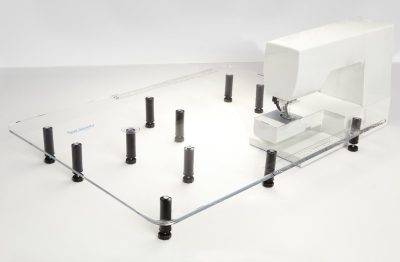
Sew Steady Table Giant 24″ x 32″
Price range: $269.00 through $279.00Select options This product has multiple variants. The options may be chosen on the product page -

Bernina Embroidery Software 9 Creator without Wifi Device
$1,299.00 -

BERNINA Q20
Contact us for a quote -
Bernina Embroidery Software 9 DesignerPlus Full Version with Wifi Device
$2,499.00